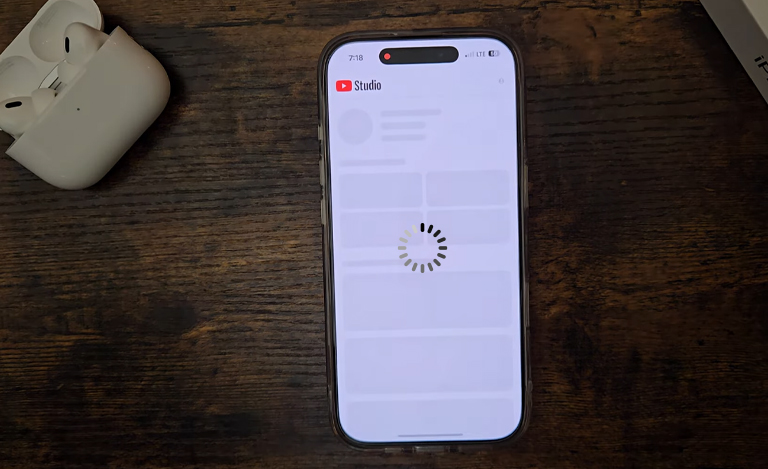
You’re running five minutes late, you tap on Maps to find the quickest route, and nothing. The screen freezes, or the little loading wheel spins indefinitely. Or maybe you’re trying to snap a photo of a fleeting moment, but the Camera app hangs just long enough for the moment to pass.
It’s highly frustrating. We rely highly on our devices for speed and efficiency, so when they start dragging their feet, it feels like a major disruption. But before you panic and assume your phone is broken, it’s worth knowing that lag isn’t always a sign of a dying device. Often, it’s just digital clutter, a full memory, or software that hasn’t been updated in a while.
This blog will take you through practical, DIY methods to fix iPhone apps that are struggling to keep up. We’ll look at everything from storage hacks to background processes. But, we also have to be realistic. If software tweaks don’t solve the problem, you may be dealing with a hardware issue. Sometimes, that sluggish performance is a symptom of an aging battery or an internal component that’s seen better days. Later, you’ll know exactly how to speed up your device or where to go if you need expert Apple iPhone Repairs.
Start Simple Before Seeking Apple iPhone Repairs.
The Restart Rule
Update Your iOS
Update the Apps
Close Background Processes
Clearing the Clutter to Fix iPhone Apps
Check Your Storage Space
Offload Unused Apps
If you’re tight on space but don’t want to lose your progress in a game or your login details for a rarely used utility, use the “Offload App” feature. This removes the app size from your storage but keeps the documents and data. It’s a fantastic way to fix apps that are failing due to low memory without having to delete things permanently.
Clear Safari Cache
A clogged browser cache doesn’t just slow down your web surfing; it can impact system-wide performance if it becomes corrupt or excessively large. Clearing your Safari history and website data can remove digital cobwebs that might be slowing down other processes.
If you have scrubbed your storage and updated every piece of software available, but the lag persists, the issue likely isn’t digital. This is usually the point where we start looking at the physical health of the device.
Is Your Battery the Culprit Requiring Apple iPhone Repairs?
The Peak Performance Capability
Symptoms of Battery Failure
The Solution
Don't Forget About Apple iPad Repairs
Many of us live in a multi-device ecosystem. We switch from scrolling on our phone to watching Netflix or working on our tablet. It is important to remember that the tips above apply universally. If your tablet is lagging, you can use the same storage and update tricks to fix the issue.
However, iPads often run heavier, more demanding applications like video editing tools or high-end games. Lag here is even more noticeable than on a phone. Just like iPhones, iPads suffer from battery aging and charging port issues. If you are finding that your tablet workflow is being disrupted by crashes, you likely need Apple iPad Repairs alongside your phone service. Ignoring the hardware signs on a tablet can lead to bigger issues down the line, such as swollen batteries pushing against the screen.
Professional Apple iPhone Repairs at Jazzy Mobiles
Sometimes, DIY just has limits. If you’ve tried every tip in this guide and your apps are still taking forever to open, you might be dealing with a logic board fault, hidden water damage, or a micro-soldering issue that slows down data processing.
This is where professional Apple iPhone Repairs become essential. At Jazzy Mobiles, we can run advanced diagnostic testing that standard settings menus simply can’t show. We can pinpoint whether a specific component is causing the bottleneck.
The Jazzy Mobiles attractive thing is our commitment to reliable, quick service. Trusting a local expert for your iPhone Repairs saves you time and money compared to rushing out to buy a brand-new device at full retail price. We are experts in Apple iPad Repairs, ensuring your entire digital life runs smoothly.
Final Words
If your apps are always lagging, don’t stress or panic. Start with a restart, update your iOS, and check your storage space. Many times, clearing the clutter is enough to fix iPhone apps and get them snapping open again. Check your battery health, and remember that power issues are the silent killer of performance.
However, if the apps are still crawling after trying all these tips, it’s likely a hardware issue. Don’t let a slow phone ruin your day. If you need an expert to repair an Apple iPhone or need help with a sluggish iPad, visit Jazzy Mobiles today. Book a repair or contact us to get your device running like new again.