
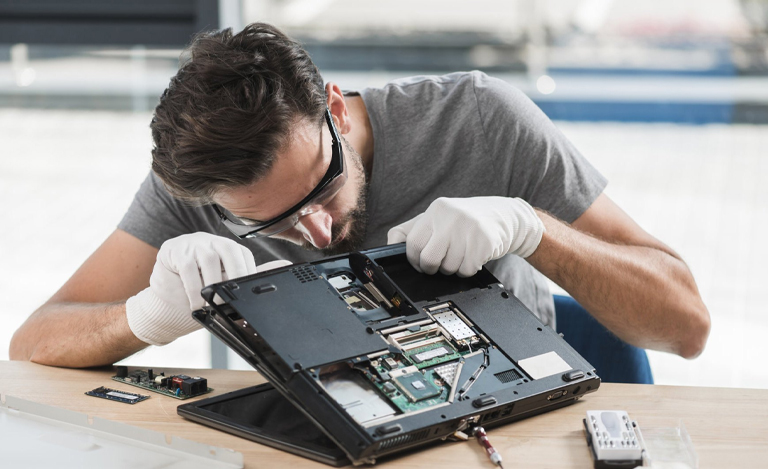
Getting a new laptop is exciting, but security should be the first step before using it fully.
Cyberthreats are becoming stronger every year, and without proper antivirus software, even the latest devices are at risk.
Strong protection helps secure your files, passwords and personal information while maintaining performance.
In this blog, we explore why a new device needs protection, the top antivirus programs 2025 offer, and the best way to avoid future Laptop Repair issues.
Why Does Your New Laptop Need Strong Antivirus Protection?
A new laptop gives you fast performance and smooth speed, but it also enters a digital world full of threats.
As online scams grow more advanced, both Windows and Mac devices are at risk. Malware can steal data, track activities or damage your system without you noticing.
Installing reliable internet security software from day one is essential. It prevents cyberattacks, blocks unsafe sites and gives real-time warnings about suspicious activity.
A strong antivirus also helps avoid common Laptop Repair problems such as overheating, slow performance and unexpected crashes.
Many of these issues are caused by hidden viruses running in the background. With protection in place, your device stays healthy, fast and secure.
What to Look for in a 2025 Antivirus Program
Choosing antivirus software is easier when you know what matters most. Here are the features to look for:
1. Real-Time Threat Protection
Your antivirus should constantly monitor downloads, apps and websites. Real-time protection ensures viruses are blocked before they cause damage.
2. Malware and Ransomware Defence
The best PC antivirus tools offer multi-layer protection against dangerous malware, ransomware and phishing scams.
3. Performance Friendly Scanning
The ideal antivirus for Windows/Mac should not slow down your laptop. Look for programs that offer fast scanning with low system impact.
4. Extra Security Tools
Modern internet security software includes VPN services, password managers, firewalls and identity protection. These tools give you a complete safety net for everyday use.
5. Multi-Device Compatibility
If you own multiple devices, choose a program that covers laptops, tablets and smartphones under one subscription.
6. Reliable Updates
Cyberthreats evolve quickly. Your antivirus must receive frequent updates to stay effective throughout 2025.
Top Antivirus Programs to Install on Your New Laptop in 2025
Below are the top antivirus programs 2025 users trust for strong protection, speed and reliability.
1. Bitdefender Total Security 2025
Bitdefender is known for its excellent protection and lightweight performance. It offers advanced malware scanning, ransomware defence and a secure browsing mode for banking.
Best For: Everyday users want strong protection without slowing their system.
2. Norton 360 Premium 2025
Norton continues to lead in the antivirus world with powerful detection, identity protection and cloud backup features. Its tools reduce the chances of data loss and device damage.
Best For: Users wanting all-around security and strong online privacy.
3. McAfee Total Protection 2025
McAfee provides strong internet security software with password management and identity monitoring. Its multi-device support makes it ideal for families.
Best For: Users who want protection for multiple laptops and mobiles.
4. Kaspersky Plus Security 2025
Kaspersky is highly praised for its accurate threat detection and deep scanning abilities. It stops hidden malware quickly and protects your webcam and microphone.
Best For: Users wanting strong privacy tools and fast malware removal.
5. Avast One 2025
Avast offers a clean interface and fast performance, with advanced privacy tools and a strong free version.
Best For: Students and home users wanting easy, budget-friendly antivirus software.
6. Trend Micro Maximum Security 2025
Trend Micro uses AI-powered scanning to block unsafe links, email scams and ransomware attacks.
Best For: Users who spend a lot of time browsing and shopping online.
How to Choose the Right Antivirus for Your Needs
1. Consider Your Usage Habits
If you browse the web lightly, a simple program may be enough. If you handle sensitive data, choose an advanced suite with identity protection.
2. Check Compatibility
Ensure the antivirus fully supports your operating system. Some tools are stronger on Windows, while others work better on Mac.
3. Compare Features and Price
Think about what matters most: VPN, cloud backup, parental controls or performance. Compare these with your budget.
4. Think About Device Count
If you own more than one device, choose a plan that includes desktops, laptops and mobiles.
5. Read Independent Reviews
Check how each program performs in real-world tests. Look for details on detection rates, speed and support quality.
Choosing the right antivirus early will prevent unwanted problems, reduce your Laptop Repair needs and keep your device protected throughout 2025.
Conclusion
Your new laptop deserves strong protection from the moment you switch it on.
With cyberthreats growing rapidly, selecting the right antivirus program is essential for keeping your data, privacy and device performance secure.
The top antivirus programs 2025 offer a balance of speed, reliability and smart features suitable for any user.
By choosing the right software early, you avoid unnecessary Laptop Repair issues and enjoy a safe, smooth and stress-free laptop experience.
Jazzy Mobiles believes protecting your new laptop should be your first step.
The right 2025 antivirus keeps your data safe, blocks threats, and ensures smooth performance from day one. Choosing reliable security software gives peace of mind and long-term protection.
For expert advice, trusted devices, and ongoing support, Jazzy Mobiles is always here to help you can rely on us.
FAQs
Is an antivirus really necessary on a new laptop?
Yes. A new device becomes vulnerable the moment it connects to the internet. Antivirus protection blocks malware, scams and unsafe websites before they cause long-term damage.
Which antivirus is best for Windows laptops in 2025?
Bitdefender, Norton and Kaspersky offer excellent performance, real-time detection and strong malware defence for Windows devices.
What is the best antivirus for Mac users in 2025?
Bitdefender, Avast One and Trend Micro provide strong security for Mac, protecting against viruses, phishing and unsafe links.
Does antivirus help prevent Laptop Repair problems?
Yes. Many issues like overheating, freezing and slow performance are caused by hidden malware. Antivirus tools stop these threats early.
Are free antivirus programs good enough?
Free programs offer basic protection, but paid versions include stronger firewalls, identity safety, VPNs and real-time monitoring. Premium plans provide fuller security.