
Your Samsung phone just went dark. No warning. No explanation. Just a black screen staring back at you.
You tap it. Nothing happens. You press the power button. Still nothing. Panic sets in because you need your phone right now.
This situation happens to Samsung users more often than you’d think. The good news? A black screen doesn’t mean your phone is broken forever. Most times, you can fix it yourself. Other times, you’ll need help from professionals who handle Samsung phone repairs.
This guide shows you exactly what to do when your Samsung screen goes black. You’ll learn what causes this problem, which fixes work at home, and when to visit a repair shop. Let’s get your phone working again.
What Causes a Samsung Black Screen?
You need to know why your Samsung screen went black before you can fix it. Here are the main reasons this happens:
Software crashes or system freezes
Create problems when apps fight with each other. Sometimes a bad update messes things up too. Your phone might still run in the background, but the screen won’t turn on.
Physical damage
From drops breaks things inside your phone. Your screen might look fine on the outside, but internal parts could be damaged. Even a small fall can disconnect important components.
Battery Problems
Cause black screens all the time. A dead battery won’t power your device. Sometimes a bad battery shuts down your phone without warning, and the screen goes black.
Water or Liquid Damage
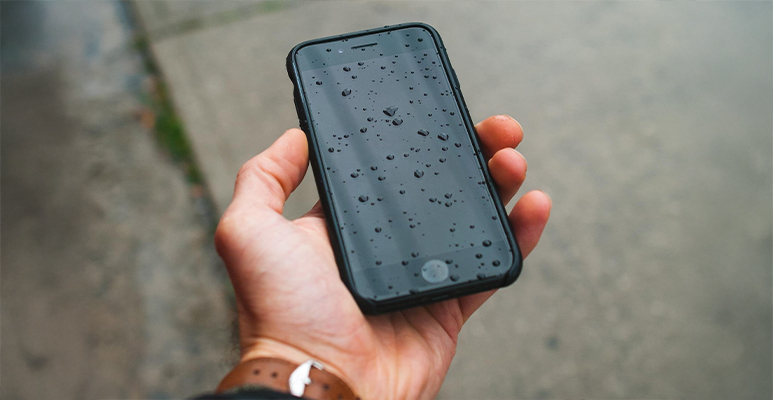
Affects parts inside your phone. Yes, Samsung phones resist water. But they’re not waterproof. Moisture gets inside and causes short circuits. It can also rust important connections.
Broken hardware parts
Include damaged screens, motherboard issues, or loose wires. These problems need expert phone screen repair. You can’t fix them at home.
Quick Fixes You Can Try at Home
Try these simple solutions before you visit a repair shop. They fix most black screen problems.
Force Restart Your Samsung Device
This step works best and costs nothing. Press and hold the Power button and Volume Down button at the same time. Keep holding them for 10 to 15 seconds. Your phone will vibrate and restart.
This fix solves most software freezes. It won’t delete any of your data either.
Charge Your Phone
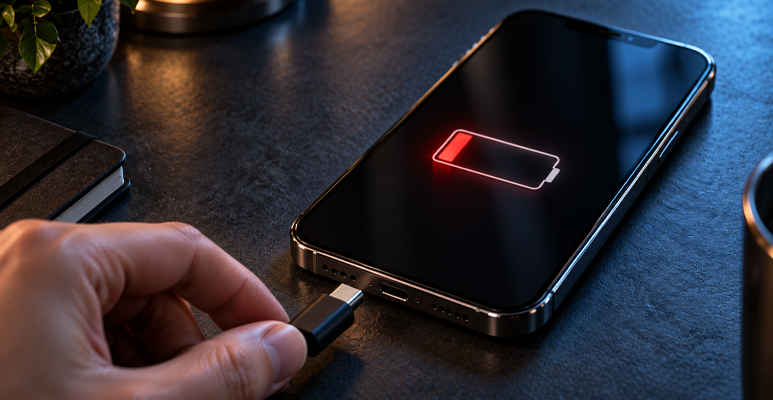
Sometimes the answer is really simple. Plug your Samsung into a charger. Leave it there for at least 30 minutes.
Watch for signs that it’s charging. Look for LED lights. Feel for vibrations. Listen for sounds. These signs tell you that power is getting to your phone.
A completely dead battery needs time before the screen comes back on.
Boot Into Safe Mode
Safe Mode helps you figure out if an app caused the problem. Here’s how to enter Safe Mode:
- Press and hold the Power button
- Wait until you see the power options
- Press and hold “Power off”
- Keep holding until you see the Safe Mode prompt
- Tap OK
Does your phone work normally in Safe Mode? Then a bad app is causing trouble. Remove apps you installed recently. This should fix the issue.
Check for Physical Damage
Look at your device carefully. Search for cracks, dents, or water damage signs. Check inside the charging port and headphone jack for moisture.
Can you see damage? Then you need professional Samsung phone repairs. Don’t try to fix physical damage yourself.
When You Need Professional Phone Screen Repair
Did the home fixes fail? Then it’s time to get expert help. You need professional phone screen repair in these situations:
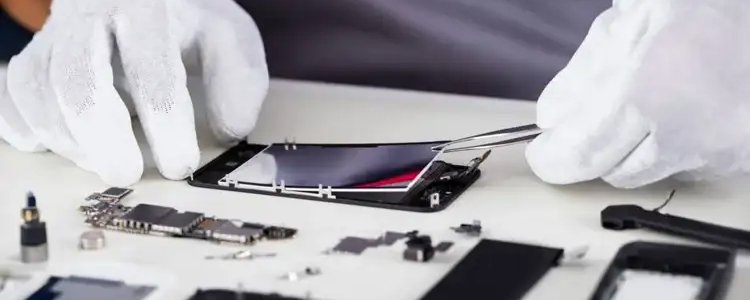
Cracked or dead displays must be replaced by trained repair technicians. Don’t try to replace screens yourself. You’ll probably cause more damage. You might also cancel your warranty.
Internal part failures involve the motherboard, wires, or digitiser. These problems need special tools and skills. You can’t fix them at home.
Liquid damage needs fast professional help. Rust spreads quickly inside your phone. Proper cleaning requires specific tools and methods. This prevents lasting damage.
Choose your repair service carefully. Find technicians with experience. Make sure they use good parts. Check if they offer warranties on their work.
Why Choose Jazzy Mobiles for Samsung Phone Repairs?
Jazzy Mobiles in Cheltenham, VIC, fixes all Samsung phone problems. Here’s why they’re your best choice:
Same-day repairs mean you get your phone back fast. Most repairs finish within hours. You won’t be without your phone for days.
Skilled technicians know how to fix all Samsung models. They handle everything from the latest Galaxy S series to older A series phones. They stay current on new repair methods and common problems.
Quality parts make your phone work like new. Jazzy Mobiles uses real or high-grade replacement parts. Your repaired phone performs just as well as before.
Service warranty protects you after the repair. Something goes wrong? They’ll fix it. This promise gives you peace of mind when you pay for phone screen repair.
Fair prices don’t mean cheap work. Their rates are reasonable and competitive. Professional Samsung phone repairs become affordable for everyone.
Jazzy Mobiles fixes more than just screens. They replace batteries, repair charging ports, fix cameras, and handle other issues. Every repair comes with its promise of great customer service.
How to Prevent Future Black Screen Problems
Your Samsung is fixed. Now keep it working properly with these tips:
Use protection. Buy a strong case and screen protector. This small cost can save you hundreds in repair bills later.
Update regularly. Keep your software and apps current. Updates fix bugs that cause crashes and freezes.
Care for your battery. Don’t overcharge it. Don’t let it die completely either. Both habits stress the battery and cause unexpected shutdowns.
Guard against water and heat. Water-resistant doesn’t mean waterproof. Extreme cold or heat damages parts inside your phone.
Download carefully. Stick to official app stores. Read reviews before you install apps. Bad apps can contain bugs or harmful software.
Get Your Samsung Working Again
Your Samsung screen went black for a reason. It could be a software crash, physical damage, battery trouble, or broken hardware. Simple fixes like force restarts or charging work for some problems. Hardware issues need expert Samsung phone repairs.
Don’t stay disconnected because of a black screen. Professional repairs restore your device quickly. Most repairs finish the same day. You get skilled technicians, quality parts, and service warranties at Jazzy Mobiles in Cheltenham.
Ready to fix your Samsung? Contact Jazzy Mobiles now for a free quote and same-day phone screen repair. Visit their shop at Westfield Southland in Cheltenham. You can also reach them through their contact page to book your repair.
Your phone matters. Get it fixed right.
FAQ's
Why is my Samsung screen black but the phone is still on?
This usually indicates a software glitch or display malfunction rather than a completely dead device. Try a force restart first, hold the Power and Volume Down buttons for 10-15 seconds. If that doesn’t work, you’ll likely need professional phone screen repair to diagnose whether it’s a software issue or a hardware problem.
Can a black screen be fixed without replacing the screen?
Yes, if the issue stems from software problems or loose internal connections, technicians can often fix it without replacing the display. However, physical damage to the screen itself typically requires a complete replacement. A diagnostic check at a repair shop can determine the exact cause and necessary repairs.
How much does Samsung phone repair cost in Australia?
Repair costs vary depending on your model and the type of damage. Screen replacements generally range from $100 to $300, whilst more complex repairs involving internal components might cost more. For an accurate estimate, contact Jazzy Mobiles for a free quote based on your specific device and issue.
How long does phone screen repair take?
Most phone screen repairs at Jazzy Mobiles are completed the same day, often within a few hours. The exact timeframe depends on parts availability and the extent of the damage. More complex repairs involving internal components might take slightly longer, but the team works efficiently to minimise your wait time.