Have you ever tried talking on the phone, but your mate on the other end cannot hear a single word you are saying? You end up shouting into the screen. You walk around the house looking for a better signal. Eventually, they just hang up.
A mobile mic problem is very frustrating to deal with. It gets extremely annoying when you just want to have a quick chat with your friends or family.
The good news is that you do not always have to buy a brand-new device when things go quiet. This guide will help everyday Aussies figure out exactly what is wrong with their phone’s sound.
We will show you some simple tricks to test your phone at home. You will learn easy steps to clean out the dirt, check your apps, and reset your system. We will also help you figure out when it is time to get a professional fix.
Why Can't People Hear Me?
When your voice sounds fuzzy or drops out completely during a call, you might panic. You might think the entire phone is broken. Most of the time, the truth is much simpler.
The tiny hole at the bottom of your phone goes everywhere with you. It sits in your pocket, rests on dusty tables, and travels in your bag. Over time, that tiny opening fills up with pocket lint, dust, and grime. When dirt blocks the hole, your voice simply cannot reach the sensor inside. This is a very common smartphone microphone issue.
Sometimes, a mobile mic problem is not caused by dirt at all. It might just be a small bug in your phone’s software. Your phone is basically a mini-computer. Just like a computer, it gets confused if it runs for too long without a break. Apps can fight for control of the sound. This leaves your calls completely silent.
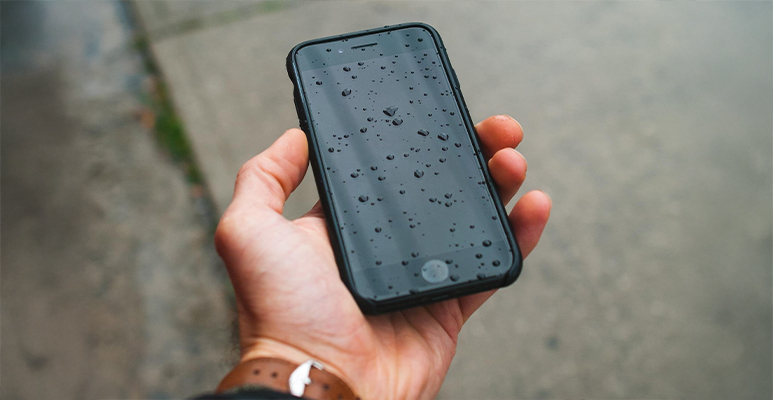
Accidents happen too. If you recently dropped your phone on the hard pavement, physical damage is a real possibility. Water from a pool can also cause severe issues. Small drops and bits of moisture easily break the delicate little parts inside the device.
Easy At-Home Checks and Fixes
Before you rush off to the shops, you can try a few simple things at home. These quick tricks solve the issue for many people looking for a fast phone mic not working fix.
Clean the Sound Holes
Grab a soft, clean toothbrush that you do not use for your teeth. Look at the bottom edge of your phone to find the small holes. Gently brush across the holes to sweep away any loose dirt or pocket lint.
Never push hard. Never use sharp things like needles or pins. Sharp items will permanently destroy the sensitive parts inside your phone. A gentle sweep is all you need to clear the blockage.
Restart Your Device
Turn your device off and on again. This simple action is a fantastic phone mic not working fix. It forces the phone to close all open programs. This clears out small bugs and gives the system a fresh start.
Leave the phone off for about thirty seconds. Then, press the power button again. You will be surprised by how many sound problems disappear after a quick restart.
Check Your Apps
Try to record a quick voice memo. You can also make a video call on an app like WhatsApp or FaceTime. Then, make a normal phone call.
Does your voice sound clear on the video app but silent on the phone call? If so, the physical hardware is perfectly fine. You likely just have an app problem. You might need to update your software or delete a broken app.
Do You Need a Professional Microphone Repair?
Sometimes, a quick clean and a software restart simply will not work. If your device took a heavy fall or went for a swim in the sink, the internal hardware is probably broken. Water damage is especially tricky. Rust builds up inside over time and ruins the electronics.
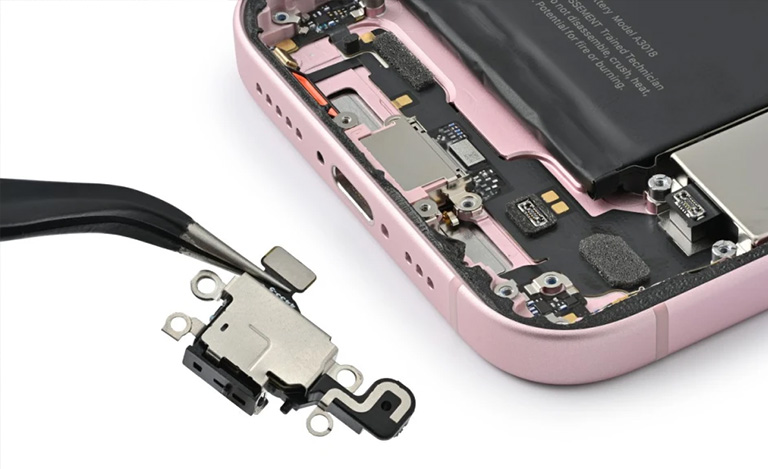
You should never try to fix broken internal parts yourself. Modern smart devices require special tools and training to open. If you pry the screen open, you will likely crack the glass. If you poke around the bottom ports with metal tools, you might ruin the battery. That turns a small issue into a massive, expensive disaster.
This is exactly when a professional microphone repair becomes necessary. A trained technician knows exactly how to handle these delicate parts without causing more damage.
When to Book a Microphone Repair Service
You will know it is time to seek expert help if you have tried the basic steps with no luck. If you cleaned the ports, restarted the software, and your mates still cannot hear you, the hardware absolutely needs attention.
Other clear signs include loud static noises during calls. Your voice might also constantly cut in and out even with full signal bars. These are clear warnings of a hardware failure.
The smartest move is to book a proper microphone repair service at a trusted local shop. A trained technician can open the device safely. They will swap out the broken parts and get your phone working perfectly again. It is a quick and safe process. It saves you from buying a costly new phone.
Still can't get your voice heard?
Don’t stress! Bring your device to us for a fast and friendly fix today.
Conclusion
Phone sound issues are certainly frustrating, but they are usually easy to sort out. Start by checking your phone for dust. Give your device a quick restart. Test out different apps to see if the sound works there.
These basic steps take less than five minutes. They often solve the mystery right away.
If these quick fixes do not work, do not stress. Book a session with a trusted local repair expert Jazzy Mobiles today. A professional technician will fix the hardware safely so you can get back to chatting with your friends and family.
Frequently Asked Questions (FAQs)
How do I fix phone microphone problems at home?
First, try turning your phone off and on again to clear out any small software bugs. If that does not work, gently clean the small sound hole at the bottom of your phone with a soft toothbrush to remove any trapped dirt or pocket lint.
Why is my microphone not working with android / iphone?
This can happen for a few common reasons. Your phone’s software might need a new update, a downloaded app could be blocking the sound, or dirt might be heavily packed inside the bottom holes.
How much does it cost to fix my phone's sound?
Prices change depending on what type and model of phone you own. It is always best to pop into a trusted local shop like Jazzy Mobiles. The team can take a look and give you a quick, free quote for your specific model.
Can water damage ruin my phone mic?
Yes, water is a major enemy of small phone parts. Even a tiny splash can short out the connections or cause rust to form over time, which will stop the sound from picking up your voice.