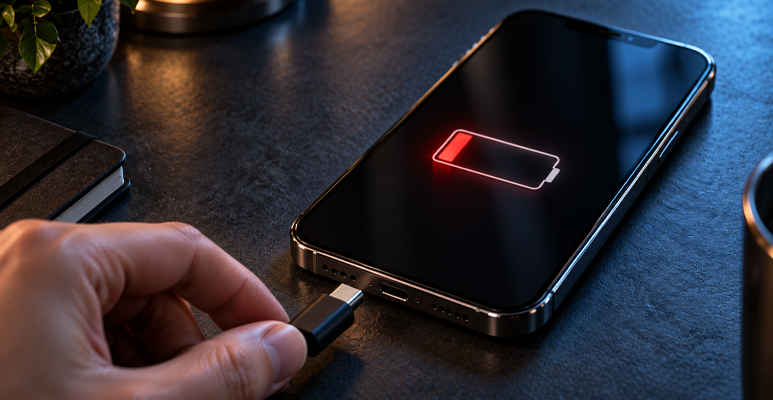

You plug in your iPhone 16 Pro and nothing happens. The battery icon stays red. Your phone sits there, lifeless. You’ve got emails to send, calls to make, and appointments to keep. This problem needs a fix now.
Most charging port issues can be fixed. You don’t need a new phone. You just need to know what’s wrong and how to sort it out. Sometimes a simple clean does the trick. Other times, you need professional charging port repair.
This guide shows you exactly what to do. You’ll learn what breaks charging ports, how to fix simple problems yourself, and when to call in the experts. By the end, you’ll know how to get your iPhone 16 Pro charging again and how to stop it from happening next time.
What Breaks iPhone 16 Pro Charging Ports?
Your charging port stops working for several reasons. Let’s look at the main causes.
Dust and Lint Get Stuck Inside
Your phone lives in pockets and bags. Dust and lint sneak into the charging port every day. After a few months, this stuff packs down tight. It blocks the connection between your cable and the port’s contacts. Even a tiny bit of compressed lint stops proper charging.
The Port Gets Damaged
Dropping your phone damages the delicate pins inside the charging port. Jamming the cable in too hard bends these pins. Once they bend, they can’t touch the cable properly. You can sometimes see bent pins if you shine a light into the port.
Water and Moisture Cause Rust
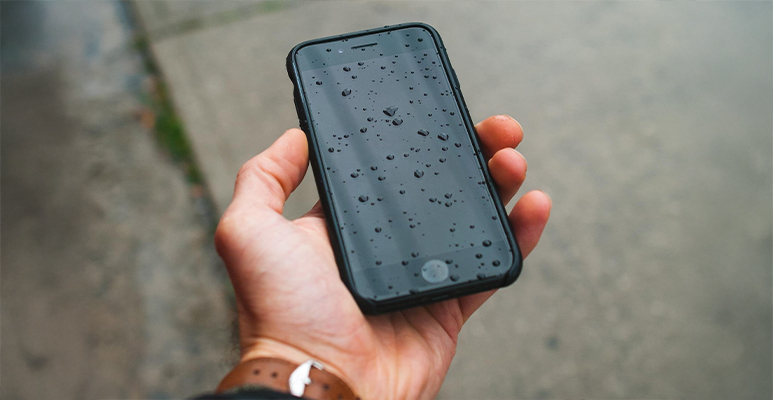
The iPhone 16 Pro resists water, but it’s not fully waterproof. Sweat, spills, or brief dunks let moisture seep into the charging port. This moisture creates rust on the metal contacts. The rust stays even after the port dries. It stops the port from charging your phone properly.
Your Cable Wears Out
Sometimes your phone is fine. The cable is the problem. Lightning cables fray near the ends. The wires inside break. The pins bend. If you’ve used the same cable for years, it might be dead.
Software Bugs Cause Issues
iOS bugs sometimes prevent charging. This happens less often than physical problems. A software glitch can stop your phone from recognising the cable.
Simple Fixes You Can Try First
Try these solutions before you book a charging port repair. They fix many issues without professional help.
Clean the Port Gently
Turn off your iPhone. Look inside the charging port with a torch. Can you see fluff or dirt? Use a wooden toothpick to remove it gently. Work slowly. Never use metal tools—they damage the pins. Don’t use compressed air either. It pushes debris deeper inside.
Test Other Cables and Chargers
Find another Lightning cable and try it. Make sure it’s Apple-certified. Does your phone charge now? Your old cable was broken. Also try a different power adapter or USB port. Sometimes the power source is faulty, not your phone.
Restart Your Phone
A restart fixes temporary software problems. Hold the side button and volume button until you see the power-off slider. Drag the slider. Wait 30 seconds. Turn your phone back on. Try charging again.
Update Your Software
Open Settings, then General, then Software Update. Is an update available? Install it. Apple releases updates that fix charging bugs. Always run the latest iOS version.
Update Software
Old software hates new apps. System updates often contain bug fixes for the camera. Check for an iOS or Android update in your settings menu. Installing the latest version can solve compatibility issues.
If you are stuck in a reboot loop or facing a specific error, the fix changes based on your device. If you need specific iPhone Repair for a software lock-up, the steps are slightly different than Android. Apple software is strict, so a full restore via iTunes might be required.
Try Wireless Charging
Put your iPhone 16 Pro on a wireless charging pad. Does it charge? This tells you the port is the problem, not the battery or software.
When You Need Professional Charging Port Repair
Booting in safe mode disables all third-party apps. It only runs the original software the phone came with.
- Hold the power button.
- Press and hold the “Power Off” icon on the screen.
- Tap “Safe Mode” when it appears.
Once the phone restarts, try the camera. If it works perfectly in safe mode, a third-party app is the villain. You will need to uninstall recent apps until the camera works again in normal mode.
Factory Reset
This is the “Nuclear Option.” It wipes everything. Your photos, messages, and apps will vanish. Back up your data first.
- Go to Settings > General > Reset (iPhone).
- Go to Settings > System > Reset Options (Android).
This returns the phone to the state it was in when you bought it. If the camera still does not work after a factory reset, you definitely have a hardware problem.
Identify Specific Brands
Different phones have unique quirks.
- Samsung: You might need Samsung Phone Repair if the specific “Camera Failed” error pops up repeatedly on Galaxy devices. This is a known issue on some older models that requires a specific cache partition wipe.
- iPhone: Reiterate that iPhone Repair is necessary if the specific “Face ID” or portrait mode sensors are damaged. These components are paired to the motherboard. If you try to swap them yourself, you might lose Face ID functionality permanently.
When to Visit a Shop for Phone Camera Repair
Some problems need expert help. Here’s when to visit a repair shop.
Your phone won’t charge no matter what cable you try. You’ve cleaned the port and restarted your device. Nothing works. The port needs professional attention.
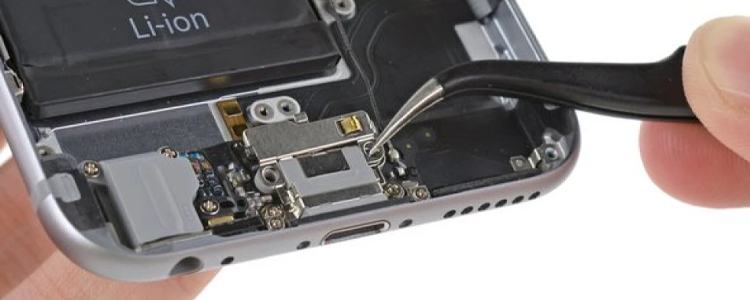
The charging port looks damaged. You can see bent pins, burn marks, or heavy rust. These problems need new parts and proper tools.
Your phone only charges when you hold the cable at a weird angle. The port’s internal connections are breaking. This gets worse over time.
Don’t try to fix complex port damage yourself. You might void your warranty. You could cause more damage. Professional technicians have the right tools and genuine parts. They know how to fix damaged ports safely.
Sometimes charging issues are linked to other problems. A dying battery might look like a port issue. Water damage might affect multiple parts. Professionals diagnose the real problem. They recommend the right fix, whether that’s charging port repair or battery replacement.
Pick a Good Repair Shop
Choose a repair shop like Jazzy Mobiles that offers warranties. Good services back their work with at least a 90-day warranty. Read online reviews. Ask what parts they use. Genuine or high-quality parts last longer than cheap ones.
Many quality shops offer same-day service. Drop off your phone in the morning. Pick it up in the afternoon. Some shops provide express services for urgent Apple iPhone repairs.
Get Your Phone Working Again
At Jazzy Mobiles in Cheltenham, our skilled technicians handle Apple iPhone repairs every day. We fix charging ports, replace batteries, and solve all smartphone problems. We use quality parts. We offer warranties on all repairs. We provide same-day service so you’re not without your phone for long.
You’ll find us at Westfield Southland. We’re your local experts for all smartphone repairs. Whether it’s a charging issue, cracked screen, or any other problem, we diagnose it properly and fix it right.
Don’t let a damaged charging port disrupt your day. Visit Jazzy Mobiles today for fast, reliable charging port repair. Get a free quote by contacting us or dropping into our Cheltenham shop. We’ll have your iPhone 16 Pro charging perfectly again in no time.
FAQ's
How long does charging port repair take?
Most charging port repairs take 30 to 60 minutes. Many repair shops, including Jazzy Mobiles, offer same-day service. You can drop off your phone and collect it within a few hours. Express services may be available for urgent repairs.
Will cleaning my charging port void my warranty?
No, gently cleaning your charging port with a wooden toothpick won’t void your warranty. However, attempting to disassemble your phone or repair internal components yourself will. Stick to surface cleaning and leave internal repairs to professionals.
Can I prevent charging port damage?
Yes. Use quality MFi-certified cables, clean your port regularly, be gentle when plugging in cables, and avoid charging in dusty or humid environments. These simple habits significantly extend your charging port’s lifespan.
Should I repair or replace my iPhone 16 Pro?
Charging port repair is much more affordable than buying a new phone. Unless your iPhone has multiple serious issues or is very old, repair is the sensible choice. A professional assessment will help you decide the best option.