If your phone battery is draining fast, most of the causes are things you can check yourself in an afternoon. Screen brightness, background activity, weak signal and heat explain a lot of sudden drain. A phone that shuts down unexpectedly, struggles in cold conditions, or needs a second charge before lunch can indicate a battery or power-related issue, so it is worth getting the device checked.
This guide is for the person standing at a charger at 2 pm wondering whether they’ve broken something. You haven’t. Lithium-ion batteries lose capacity as a matter of chemistry, and the way we use phones speeds it up. Work through the checks below in order. Most cost you nothing to rule out. The two that can need a bench are a charging port fault and a worn cell — and if it comes to that, our technicians at Westfield Southland in Cheltenham and Brimbank Shopping Centre in Deer Park can check both.
Start with Battery Health - it is a clue, not a verdict
Before changing any settings, check Battery Health. On iPhone 15 and later, open Settings › Battery › Battery Health. On iPhone 14 and earlier, open Settings › Battery › Battery Health & Charging. Either way, read Maximum Capacity. Apple defines it as “the device battery capacity relative to when it was new”. Most Android phones show the equivalent under Settings › Battery, or in the device care menu, though the wording varies by manufacturer. Apple says batteries in iPhone 14 models and earlier are designed to retain 80 per cent of their original capacity at 500 complete charge cycles under ideal conditions, while iPhone 15 models and later are designed to retain 80 per cent at 1,000 complete charge cycles under ideal conditions. Actual capacity varies with how the device is used and charged.
What that number isn’t is a diagnosis. A phone reading 85 per cent can still have a failing cell, and one reading 78 per cent can still be losing its day to a badly behaved app. Battery Health tells you how much capacity is left, not what’s eating it. The symptoms are what point at the cell: shutdowns with charge still showing, a phone that gives up in the cold, and Apple’s own “significantly degraded” service message.
1. Screen brightness is the biggest drain you directly control
Apple states plainly that “high screen brightness consumes a lot of energy”. The display can be a significant source of battery use, and brightness is one of the easiest settings to adjust. Direct sun is the worst case: the phone pushes brightness to its ceiling and heats up while it does it.
Turn on auto-brightness, drop the manual slider a notch below comfortable, and set auto-lock to 30 seconds. On an OLED phone, a dark wallpaper and dark mode make a measurable difference because black pixels are switched off rather than lit. Our guide to how to extend your iPhone battery life covers the rest of the settings worth changing.
2. Background activity keeps the phone awake while it sits in your pocket
Apps refreshing content, syncing photos, playing audio or tracking location keep the processor and radios alive when the screen is off. Apple lists background activity and app notifications that “wake the device” among the standard causes of fast drain.
- On iPhone, open Settings › Battery to review recent battery usage and see which apps and system activities are using the most power.
- Look for the app behaving out of character, not the one at the top. The app you use most will usually top the list, and that isn’t a fault.
- Turn off Background App Refresh for anything that is not messaging, navigation or email.
- Set location permissions to While Using rather than Always for every app that does not need to track you in the background.
- Installed something just before the drain started? Check its background activity before you delete it — an app sitting unopened isn’t necessarily doing anything.
3. A weak mobile signal makes the radio work harder
Apple notes that a device “searching for a Wi-Fi or mobile signal or being used in a low-signal environment” burns power fast. A weak mobile signal can increase power use because the phone may work harder to maintain a connection. That’s why a phone that lasts all day on home Wi-Fi can drain faster on the Frankston line, in a basement car park, or in a shopping centre dead spot.
Join Wi-Fi where you can. On newer iPhones, set 5G to 5G Auto so the phone drops to LTE when 5G isn’t worth the power. And in a genuine no-coverage area, aeroplane mode stops the phone hunting for a tower it’ll never find, which is worth more than it sounds.
4. Heat does damage that no setting can undo
Apple is unusually direct about this: iPhone and iPad work best between 0°C and 35°C, and exposure above that “can permanently damage battery capacity.” A Melbourne car dashboard in February clears that easily.
Charging while hot compounds it. Apple recommends taking the phone out of a thick case if it gets warm on charge. As Apple puts it: “charging your device when it’s inside certain styles of cases may generate excess heat.” Every hot afternoon on a dashboard is capacity you never get back — which is exactly why two identical phones bought the same day can have very different battery health two years on.
Battery Draining Faster Than Usual?
5. The phone is still finishing the last software update
Apple lists among the reasons a battery drains faster than usual. After a major update, the phone may perform background tasks such as indexing, processing and updating apps. These can temporarily increase battery use.
Give it a few days on your normal charging routine before you judge it. If the drain’s still there after that, the update probably isn’t the whole story — go back through the app, setting and signal checks above, then look at Battery Health.
6. A charging setting, port or cable can stop you reaching full
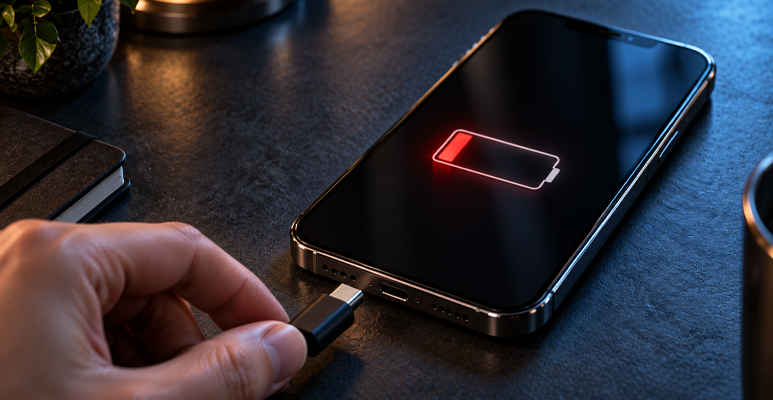
If your iPhone regularly stops around 80 per cent, check the settings and temperature before blaming the hardware. Optimised Battery Charging may delay charging past 80 per cent until closer to when you normally unplug. On supported models, Charge Limit can cap charging at a selected level, and iOS may also temporarily limit charging above 80 per cent when the battery is too warm.
After that it’s the physical chain: a blocked port, a damaged or incompatible cable, or a failing wall plug. Any of them can leave the phone charging slowly overnight, which reads as a battery problem when it isn’t one.
Test it with a known-good, compatible cable and wall plug before you spend money on anything. Our guide to spotting a dangerous charging cable covers what to look for, and a port clean-out is a far cheaper visit than a battery swap.
7. The battery is simply worn out, and no setting will bring it back
Lithium-ion cells age chemically whether you use them or not. When Maximum Capacity falls far enough, the iPhone shows: “Your battery’s health is significantly degraded. An Apple Authorised Service Provider can replace the battery to restore full performance and capacity. ”Apple adds that this “doesn’t indicate a safety issue” – but it does mean capacity and peak performance are noticeably down.
A worn cell also struggles to deliver peak power, which is why an older phone shuts down suddenly at 20 or 30 per cent on a cold morning. Apple’s own message for this is: “This iPhone has experienced an unexpected shutdown because the battery was unable to deliver the necessary peak power.” That’s the point to get the battery assessed rather than keep working around it.
Weighing up whether the phone is worth fixing at all? Our cost breakdown on cracked screen repair vs replacement runs the same arithmetic for screens.
Software problem or battery problem? The ten-minute
| What you’re seeing | Usually settings or software | Battery may need attention |
|---|---|---|
| Drain got worse gradually over a year or more | — | Yes |
| Drain got worse right after an update | Yes — allow a few days | Investigate if it persists |
| Phone shuts down unexpectedly with charge still showing | Less likely | Yes |
| Phone dies faster in cold weather | — | Yes |
| One app using unusually high power, especially in the background | Possible | Less likely |
| Phone is hot while idle in your pocket | Yes — check background apps | If heat persists with nothing running |
| Charges slowly or never reaches 100 | Check charge settings, cable and port first | If a known-good cable and clear port do not help |
| Stops charging at about 80 per cent | Yes — check Optimised Charging or Charge Limit | — |
| Battery Health shows a Service or “significantly degraded” message | — | Strong reason to investigate replacement |
What a battery replacement actually involves
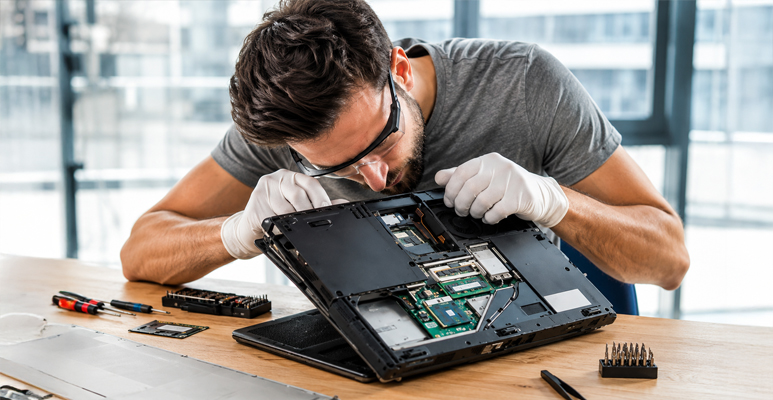
We check the health reading and the charging port first, because replacing a healthy battery when the port’s the fault fixes nothing. If the battery is the problem, we open the phone, remove the existing battery, fit the replacement, and test the device before it goes back to you. Many battery repairs are done while you wait, though it depends on the device, the parts and what the repair turns up.
- We use top-quality replacement batteries.
- Repairs come with a warranty — ask in store what it covers for your device.
- We handle battery repairs across phones and tablets from Apple, Samsung, Google Pixel, OnePlus, Oppo, Xiaomi, Motorola and Nokia — and laptops, including MacBooks. Ask about your model.
- Back up first anyway – here is how to back up your phone safely before a repair.
Conclusion: work through the free fixes first
A phone battery draining fast does not always mean the battery itself needs replacing. Settings, apps, signal, heat, charging issues and battery wear can all play a role. Most of them cost nothing to rule out, so work through the free checks in the order above, and give a recent update a few days before you judge it. Treat Battery Health as one clue rather than a verdict, because the symptoms matter more than the percentage.
If the phone shuts down unexpectedly with charge still showing, struggles in the cold, or shows Apple’s significantly degraded service message, that is the point to have the battery looked at rather than keep working around it. Jazzy Mobiles is at Westfield Southland in Cheltenham (03) 8351 5319 and Brimbank Shopping Centre in Deer Park (03) 9969 2490. Walk in, or use our mail-in service if neither is convenient.