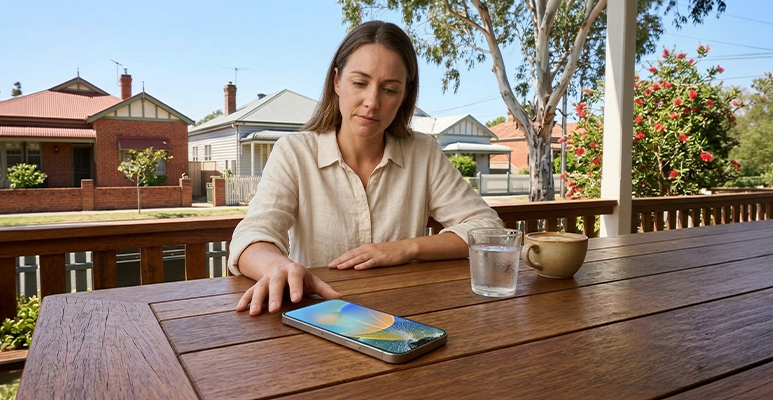
A cracked iPhone screen often keeps working. That’s exactly why people live with it for months. The reason not to wait that holds up is short, and it comes from Apple: “Don’t use iPhone with cracked glass, as it may cause injury.”
Plenty of “don’t wait” articles go further. They promise the crack will spread, or that water will pour in. Some of that may happen to your phone. Nobody can predict it from a photo.
So this guide sticks to what can be backed up, says plainly what can’t, and gives you a short list of things to do today. If you’re near Southland or Brimbank, it also explains how a screen job works with us.
Apple's safety line is the reason that matters
Apple’s safety information for iPhone carries that line about cracked glass. It doesn’t split hairline cracks from shattered corners. It just says don’t use it.
Think about where your phone goes. It’s in your hand, against your cheek, in your pocket and in your kids’ reach. Small glass splinters are easy to miss until one is in your thumb.
That doesn’t mean the phone is finished. It means the sensible move is to stop swiping across the damage and plan the fix. If you’re also weighing up a new phone, our guide on whether to repair a cracked screen or replace the phone walks through that decision.
What's backed up, and what's just a scare
Here’s how the usual warnings line up against Apple’s own pages:
| What you’ll hear | What we can source |
|---|---|
| “Cracked glass can hurt you.” | Yes. Apple says it may cause injury. |
| “A crack is sure to spread.” | We found no Apple page saying this. It may, or it may not. |
| “Your phone isn’t water resistant any more.” | Not stated. Apple says resistance isn’t permanent and to avoid drops and impacts. |
| “Waiting always costs you more.” | We found no published evidence. Don’t take it as fact from anyone. |
| “Your warranty will cover it.” | Apple’s warranty doesn’t cover accidental damage. AppleCare+ is different. |
If anyone tells you the middle rows are certain, ask how they know.
A crack and water don't mix well
Apple’s water resistance page says: “Splash, water and dust resistance are not permanent conditions and resistance might decrease as a result of normal wear.” It also lists “dropping it or subjecting it to other impacts” among things to avoid.
Your cracked phone has already had an impact. Apple doesn’t say how much resistance a given crack takes away, and we won’t guess. It does say that “liquid damage is not covered under warranty”, while noting your rights under consumer law.
So treat a cracked iPhone screen as less trustworthy around water. Keep it away from the sink, the bath, the beach and the rain on your walk to the station. If it does get wet, turn it off and talk to a repairer before charging it.
Cracked screen? Let's take a look
Drop into Westfield Southland or Brimbank Shopping Centre and we’ll check the damage and walk you through options.
Back it up while the touch still works
Here’s a reason that needs no statistic. A phone you can still unlock is a phone you can still back up.
If the touch layer under a cracked iPhone screen stops responding later, getting to your photos and messages gets much harder. So back up today, whatever you decide about the repair. Follow our step-by-step guide to backing up your phone before a repair.
Already seeing dead patches, flicker or a black display? That’s a display fault rather than just broken glass. Start with our troubleshooting guide for an iPhone screen that isn’t working.
How fast to move depends on how you use the phone
A crack doesn’t run on a timer. How much it matters comes down to your day.
- Kids use it. Little fingers and cracked glass don’t mix, and Apple’s warning doesn’t carve out families.
- It’s your work phone. If clients ring you on it, a dead display stops more than your scrolling. Ask us about Corporate Repairs if several staff phones are involved.
- It holds your banking codes. Security codes and banking apps are hard to reach through a screen that won’t respond.
- The damage is at an edge or corner. If glass is lifting or flaking, that’s loose glass in your hand. Stop using it.
If none of that’s you, the crack is small and the phone works, you’ve got time to choose. Back it up, check your cover and book when it suits. Just don’t let “when it suits” turn into never.
Front glass or back glass?
Not every crack is a screen crack. Work out which one you’ve got before you call.
Front: the display you touch
This is the screen repair. Tell us your model and whether touch still works everywhere. Those are the first two things we’ll ask.
Back: the glass panel behind
This one doesn’t affect the display, but it’s still cracked glass. Apple’s line about cracked glass doesn’t name a side. We handle it separately through our iPhone backglass replacement service.
Five checks for a cracked iPhone screen before you book
Spend ten minutes on these:
- Check your cover. AppleCare+ covers accidental damage on plan terms. Apple’s iPhone repair page lets you check your coverage. Without a plan, Apple says its warranty “doesn’t cover accidental damage”.
- Check any insurance. Some home contents or phone policies cover accidental damage. Read the policy before you assume either way.
- Back up. See above. Do it today.
- Map the dead spots. Drag an app icon slowly across the screen and note where touch drops out. It helps whoever fixes it.
- Check the protector. If you use a glass screen protector, the crack may be in the protector only. Don’t peel it off over broken glass. Leave it on and ask.
How a screen repair works at Jazzy Mobiles
Phone Screen Repair covers cracked glass and display faults across the brands we service, iPhone included. Most repairs are done while you wait, though it depends on the model and the damage.
When you come in, bring the notes from your five checks and tell us how the phone was dropped. It helps us see what else might need a look. If you can’t get to a centre, ask either store about Mail-In Repair.
Both stores open until 9 pm on Thursday and Friday. That makes a late-night shopping trip a good time to drop a phone in.
Find us at Southland or Brimbank
Cheltenham: Shop 3048C, Level 3, Westfield Southland, 1239 Nepean Hwy, Cheltenham VIC 3192. Phone (03) 8351 5319. In the south-east, visit Jazzy Mobiles at Westfield Southland.
Deer Park: Shop T45A, near Target, Brimbank Shopping Centre, 72 Neale Road, Deer Park VIC 3023. Phone (03) 9969 2490. Out west, head to our Brimbank Shopping Centre store in Deer Park.
Both stores keep the same hours. Monday to Wednesday: 9 am to 5:30 pm. Thursday and Friday: 9 am to 9 pm. Saturday: 9 am to 5 pm. Sunday: 10 am to 5 pm.
Fix it for the reason you can check
Fix a cracked iPhone screen because Apple says not to use a phone with cracked glass. That alone is reason enough. Everything else is about keeping your options open while the phone still works.
Back it up, keep it dry, check your cover, then book.
If the drop did more than crack the glass, Jazzy Mobiles also handles iPhone battery replacement, Charging Port Repair and Phone Camera Repair.
Cracked screen questions people ask
1. Will a screen repair delete my photos?
A screen repair isn’t a factory reset. Still, back up before any repair, because no repair is completely risk-free for your data.
2. Does AppleCare+ cover a cracked screen?
AppleCare+ includes accidental damage cover, subject to the plan’s terms. Check your coverage on Apple’s repair page before you book anywhere. If you’re covered, talk to Apple first.
3. Is it worth fixing a cracked iPhone screen on an older phone?
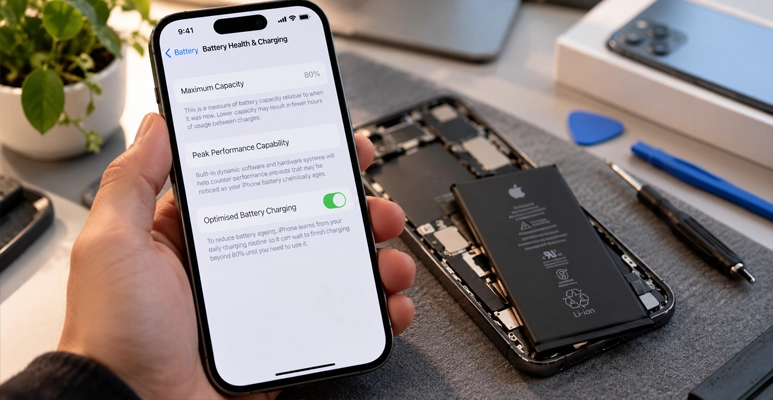
It depends on the rest of the phone. Check its battery health in Settings at the same time. If the battery is also worn, weigh up both jobs together before you decide.
4. How long does an iPhone screen repair take at Jazzy Mobiles?
Most repairs are done while you wait. It depends on the model and the damage, so call the Cheltenham or Deer Park store and we’ll tell you where things stand.
Talk to us about your cracked screen
Call or visit Westfield Southland or Brimbank Shopping Centre, and we’ll walk you through your iPhone screen options.